
Put on rose colored glasses.
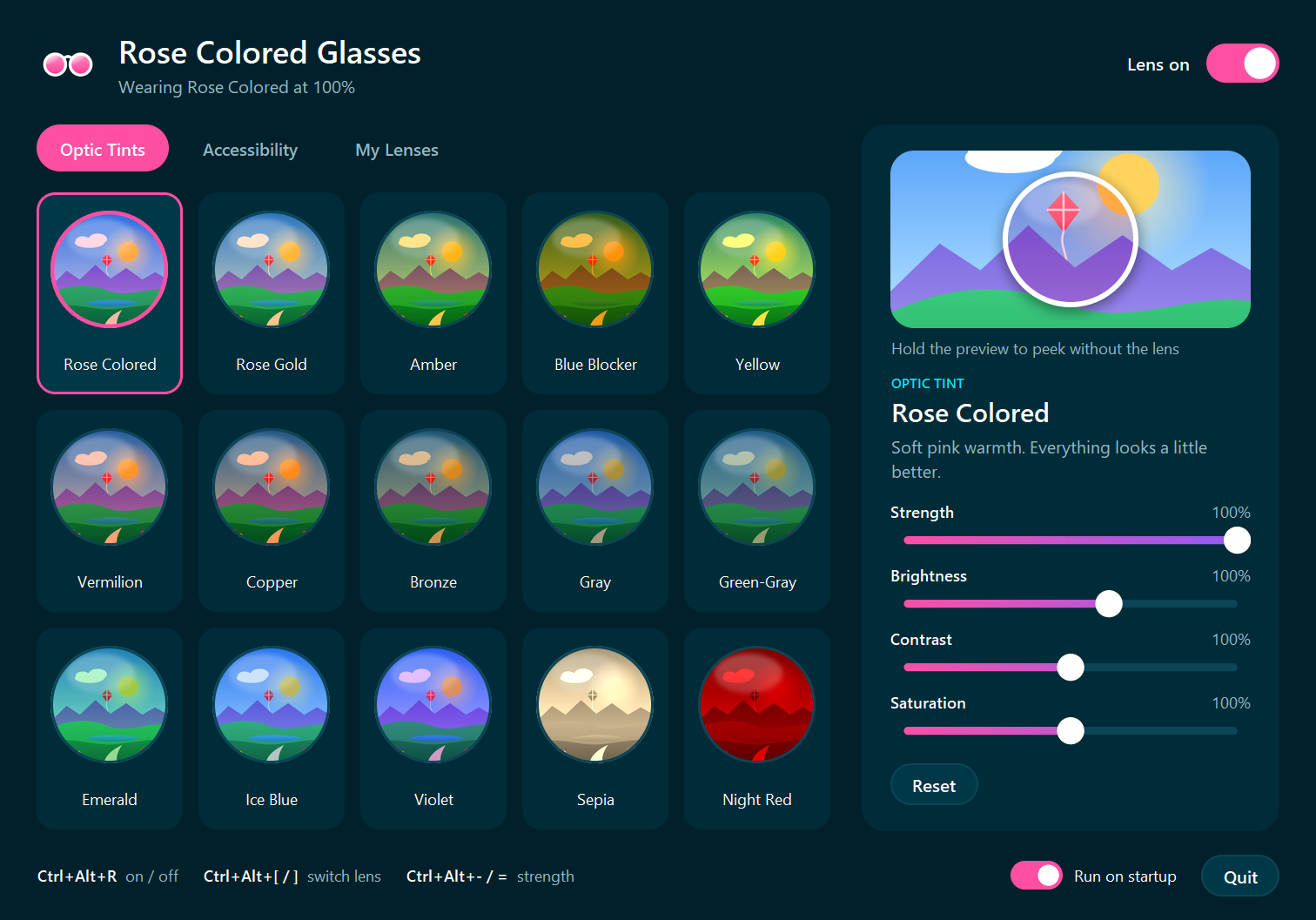
A full-screen lens for Windows. Put on rose, amber, blue blocker, gray, green-gray and ten more optic tints, or accessibility filters like grayscale, smart invert, high contrast and color-blindness assist, and see your whole screen through them.
One purchase is good for one device. Each extra device is $4.
How it works
Buy. Install. Sign in.
- 01
Buy it here
Checkout needs a free SendForge account. One purchase covers one Windows PC.
- 02
Install it
Run Install Rose Colored Glasses.exe. It installs for you alone, with no admin password, and adds a desktop shortcut.
- 03
Activate this PC
Open it and sign in with your SendForge account. That ties this PC to your purchase. After that it never needs the internet again.
The lenses
25 ways to see.
Optic tints 15
Each is modeled as a real lens: it passes a share of each color and adds its own contrast and saturation. A color filter over the whole screen, not a colored film laid on top.
- Rose Colored
- Rose Gold
- Amber
- Blue Blocker
- Yellow
- Vermilion
- Copper
- Bronze
- Gray
- Green-Gray
- Emerald
- Ice Blue
- Violet
- Sepia
- Night Red
Accessibility 10
Filters that change how the screen reads, for comfort, focus and color vision. Pick any color to make a lens of your own, too.
- Grayscale
- High Contrast
- Invert
- Smart Invert
- Protanopia
- Deuteranopia
- Tritanopia
- Protan Assist
- Deutan Assist
- Tritan Assist
Pricing
One purchase. One device.
Your first device is $5. Each extra device is $4 — it's like referring yourself.
- First device
- $5
- Each extra device
- $4
- Reinstalling on the same PC
- Free
Download
Install Rose Colored Glasses
Windows 8 or later, 64-bit. It installs for your user with no admin password, adds Desktop and Start menu shortcuts, and updates in place when you run a newer installer. Your settings and lenses are kept.
Install Rose Colored Glasses45 MB · Windows installer
↓
Referrals
Share it. Earn $1.
Own Rose Colored Glasses and you get a personal link. Every new customer who buys through it earns you $1, paid by Cash App as you reach each milestone: 5, 15, 25 and 50 customers, then every 25. Your link and your earnings are on your account page, and the rewards page has the details.
Questions